Wallet - Digital Wallet Card
SUNMARE DIGITAL TEKNOLOJI YAZILIM SANAYI TICARETProductivity
4.4258.00 Reviews
- Version
- 1.1.2
- Installs
- 1.00M
- Age Rating
- Everyone
Screenshots
Our Review of Wallet - Digital Wallet Card
 Analysis by Appyee
My first question about Wallet - Digital Wallet Card is what kind of wallet it actually replaces. It is best understood as a digital place to keep loyalty cards, barcodes and passes handy, including when you are offline—not as a guaranteed way to pay for a coffee after leaving your bank card at home. That distinction matters: I’d use it to bring down the pile of cards in my bag, but I would keep a separate payment method for purchases unless I knew the checkout accepted the pass or card I had saved.
Start with the cards you reach for most
The app is a productivity tool from SUNMARE DIGITAL TEKNOLOJI YAZILIM SANAYI TICARET. It is free to install, rated for Everyone, and has a 4.5 average from around 14,000 ratings. Those figures suggest plenty of people have tried it, but they don’t tell me whether a particular shop’s barcode will scan smoothly. For a new user, the useful test is to add one familiar loyalty card first and try it at a real checkout before moving an entire collection across.
That small trial also helps answer a practical question: does keeping a card digitally save time in your routine? If you regularly use a grocery reward card, gym pass or membership barcode, the benefit is immediate when you can find it quickly instead of digging through a physical wallet. If most of your cards are rarely used, scanning and organizing them may take longer than simply leaving them where they are.
From adding a card to using it in the moment
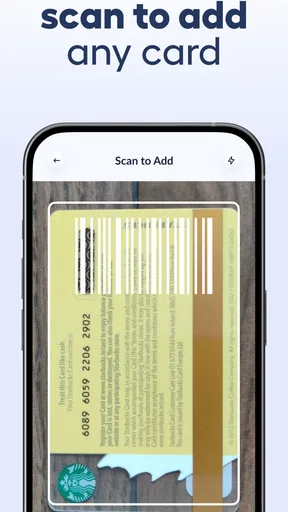
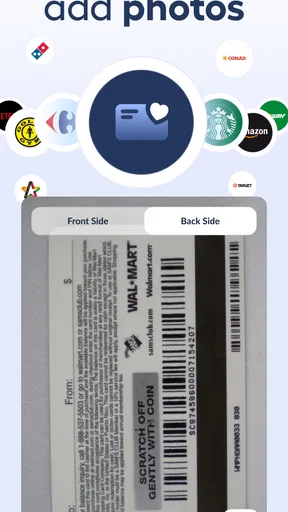
When I first downloaded the Wallet - Digital Wallet Card, I was curious about how intuitive it would be. Spoiler alert: it's super easy to navigate. The app has a clean, minimalist interface that makes adding and managing your cards a breeze. You just snap a picture of your card, enter a few details, and voilà, you’re ready to go.
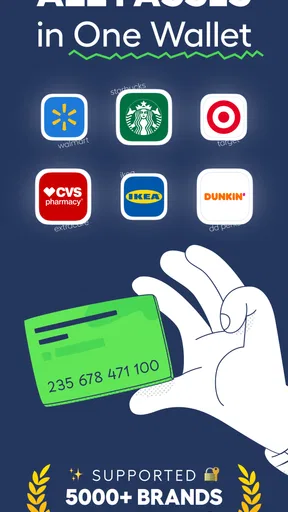
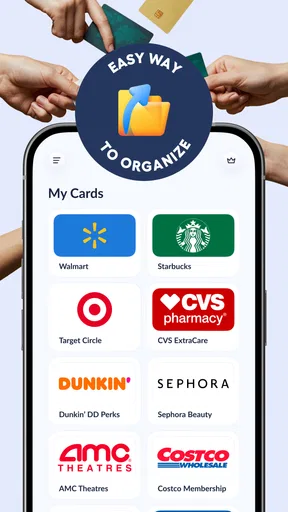
One of the things I really appreciate is how the app organizes everything neatly. You can store your credit cards, loyalty cards, and even gift cards all in one place. No more rifling through your physical wallet to find the right card when you're at the checkout. It's all just a tap away!
A checkout workflow that has a sensible fallback
In an everyday run, I’d open the app before reaching the cashier, choose the loyalty card I need, and have its barcode ready while the groceries are being scanned. That little timing change matters: trying to locate a card while the line moves can be more stressful than the search itself. I’d still keep the physical card or another accepted payment option within reach for the first few visits, then rely more confidently on the digital copy once I know the store’s scanner reads it.
Offline access is especially useful for the moment when a connection is weak or unavailable: a saved pass or barcode can remain useful without having to load it from a website at the counter. It doesn’t mean every kind of transaction works offline, though. A loyalty barcode and a payment authorization are different things, so I wouldn’t assume the app can replace a bank’s payment service just because a card image is stored here.
Make the digital copy easy to retrieve
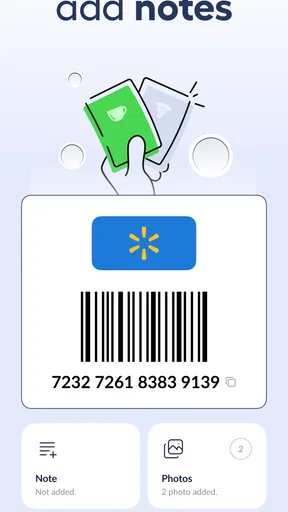
A simple habit makes a card wallet more effective: add the cards you use often first, and check each saved barcode while you have the original in hand. If a card has a printed number as well as a barcode, entering the details carefully gives you another way to identify it later. I’d also avoid scanning a whole stack in one sitting without checking the results; a slightly crooked or incomplete image is easy to overlook when adding several cards quickly.
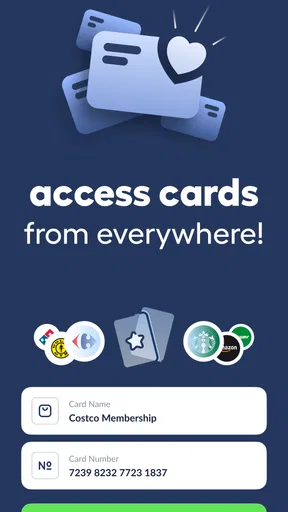
For occasional passes, a short, recognizable label is more useful than relying on a tiny logo or a memory of where the card came from. That is a modest bit of housekeeping, but it pays off when you are standing at a counter with someone waiting behind you. The point is not to create a perfect catalogue; it is to make the one card you need obvious in a few seconds.
Security deserves a practical reading
Let's talk security for a moment because, let's face it, we all want to keep our financial information safe. The app uses top-notch encryption to protect your data, and you can set up a fingerprint or facial recognition to access your wallet. It's like having a digital Fort Knox in your pocket!
Plus, the app provides instant notifications for transactions, so you’re always in the loop. This feature is a lifesaver if you’re as paranoid as I am about unauthorized transactions.
I’d treat those protections as helpful safeguards, not a reason to put every sensitive item in one place without thinking. A loyalty barcode is not the same as a payment credential, and a photo of a card can reveal information even when it cannot authorize a purchase. Before adding anything sensitive, I’d decide what I actually need to show at a checkout and keep the rest out of the wallet. A phone lock and biometric access are useful layers, but they do not remove the need to protect the device itself.
Where handoffs can be confusing
Another cool feature is how well the app integrates with other apps. Whether you're booking an Uber or buying tickets for the latest blockbuster, you can pay directly through the app without any issues. It’s all about making life simpler, and this app does just that.
And if you’re into budgeting (or trying to be), the app syncs with your bank accounts to help you track your spending. It's like having a personal finance assistant who doesn’t judge you for that extra coffee purchase.
For the specific job of saving barcodes and passes, I would not make third-party payment or bank syncing the reason to install it. Those are separate handoffs that depend on services and settings outside the basic act of storing a card, and the store description focuses on offline card and pass storage. If payment or spending analysis is the main thing you want, your bank’s app or the payment option already built into your phone is usually the clearer place to start. I prefer keeping each tool responsible for the job it handles best.
This is also where it differs from the usual alternatives. A built-in phone wallet can be convenient for payment cards and passes designed for that platform, while a merchant’s own app may be better for account-specific offers or purchase history. A physical card remains dependable when a scanner rejects a screen. This app makes most sense in the space between those options: a handy home for barcodes and passes you want to carry digitally, rather than a replacement for every payment or membership system.
Who will get the most from it
I’d recommend trying it if you carry several loyalty cards, membership barcodes or passes and often leave the plastic versions at home. It is particularly useful for someone who wants a compact offline reference to cards that would otherwise be scattered among a purse, a desk drawer and different merchant apps. It can also be a practical shared-device routine for one person who manages their own everyday passes, provided they are comfortable keeping those items on that phone.
I’d skip it if your main goal is contactless bank-card payment, automatic expense tracking, or a complete digital replacement for every physical credential. Those needs call for tools built specifically around payment, banking or identity. I’d also be cautious about moving a card that must be scanned from a particular material or displayed in a particular way until I had tested a digital copy in that setting. Keeping the original nearby is the safer approach until the workflow proves reliable.
The free download makes that first test straightforward, although in-app purchases range from about $6 to $100 per item. I’d check what an offered purchase actually unlocks before paying and ask whether it solves a problem I have; simply wanting to store a few barcodes is not, by itself, a reason to buy an upgrade. The app has reached over 500,000 installs, and its current version is 1.0.7, with Android 8.0 as the minimum operating system. Those details help set expectations about availability, but they don’t guarantee that every older phone or every barcode format will behave alike.
Updates, expectations and a useful test
One thing I always look for in an app is how often it's updated and how responsive the support team is. The developers behind Wallet - Digital Wallet Card are constantly rolling out updates to improve the app’s performance and add new features. Plus, their support team is quick to respond if you run into any issues.
It’s reassuring to know that the app is backed by a team that’s committed to delivering a top-notch experience. You can feel the love they put into making sure everything runs smoothly.
For my own decision, I’d judge it by a short real-world checklist: save one frequently used loyalty card, confirm that its details are readable, open it without relying on a connection, and present it at the place where I expect to use it. If that chain works, adding more cards is worthwhile. If a store insists on its own app or a physical card, I’d keep that route rather than waste time trying to force a digital substitute.
Keeping the right things in the right wallet
If you're someone who likes to keep things organized and secure, the Wallet - Digital Wallet Card is definitely worth checking out. It's packed with features that make managing your cards easy and stress-free. Whether you're a tech newbie or a seasoned pro, you'll find this app incredibly useful.
Honestly, I can’t imagine going back to my old, cluttered wallet after using this app. It’s like having a digital assistant that keeps everything in check, and who wouldn’t want that? So, why not give it a try and see how it transforms your day-to-day transactions?
My recommendation is more specific than that enthusiastic first impression: use it as a convenient organizer for loyalty barcodes and passes, not as a promise that you can leave every card and payment method behind. Start with one card you use often, test it at the actual point of use, and keep a fallback until you trust the handoff. If that modest job matches what you need, it can make a cluttered wallet noticeably easier to manage; if you need payments or bank features above all, another kind of wallet will fit better.
Verdict
Strengths of Wallet - Digital Wallet Card
- User-friendly interface enhances accessibility.
- Supports a wide range of card types.
- Secure encryption protects sensitive data.
- Offline access for emergency situations.
- Quick setup and easy card addition.
Limitations of Wallet - Digital Wallet Card
- Limited customer support options available.
- Occasional sync issues with some banks.
- Requires frequent updates for optimal performance.
- Some features locked behind premium paywall.
- No integration with certain loyalty programs.
Other Releases by SUNMARE DIGITAL TEKNOLOJI YAZILIM SANAYI TICARET
View All
Cards Wallet - Digital Wallet
Lifestyle4.5
Similar Picks in This Category
View All
Google Calendar
Google LLC4.6

Google Drive
Google LLC4.3

Google Assistant
Google LLC3.9

Microsoft OneDrive
Microsoft Corporation4.6

Samsung Calendar
Samsung Electronics Co., Ltd.4.1

Microsoft OneNote: Save Notes
Microsoft Corporation4.6
Frequently Asked Questions
What is Wallet - Digital Wallet Card and how does it work?
Wallet - Digital Wallet Card is a mobile application designed to store your credit cards, debit cards, and other payment methods digitally. It securely encrypts your card information, allowing you to make quick payments by scanning or tapping your device at supported terminals. The app also tracks your spending, helping you manage your finances effectively.
Is Wallet - Digital Wallet Card safe to use?
Yes, Wallet - Digital Wallet Card employs advanced encryption technology to protect your personal and financial information. It uses biometric authentication, such as fingerprint or facial recognition, to ensure only you can access your wallet. Regular updates and security patches further safeguard your data against potential threats.
What devices are compatible with Wallet - Digital Wallet Card?
Wallet - Digital Wallet Card is available for both Android and iOS devices. It supports most smartphones and tablets running on recent versions of these operating systems. Ensure that your device has NFC (Near Field Communication) capabilities to make contactless payments effectively.
Can I add multiple cards to Wallet - Digital Wallet Card?
Yes, you can add multiple cards to Wallet - Digital Wallet Card, including credit cards, debit cards, and even loyalty cards. The app allows you to manage all your cards in one place, making it convenient to switch between different payment methods during transactions.
Are there any fees associated with using Wallet - Digital Wallet Card?
Wallet - Digital Wallet Card itself is free to download and use. However, it's essential to check if your bank or card issuer charges any fees for digital transactions. Additionally, standard data charges may apply based on your mobile network provider's terms.
